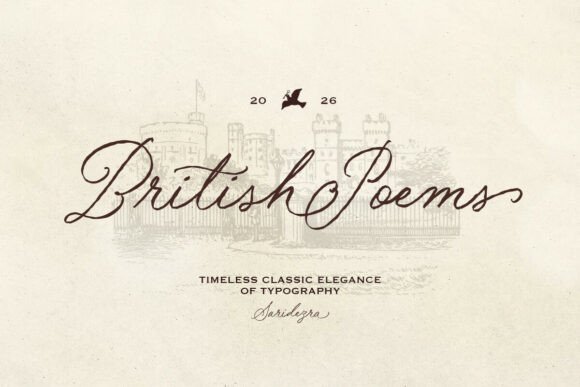
Fadua: A Modern Typeface for Elegant Design
Discovering the right typeface can feel like finding the perfect partner for your creative vision, one that brings clarity, character, and cohesion to every project. Fadua is a modern and elegant typeface designed specifically for this purpose, offering a blend of flexibility and excellent readability that performs beautifully across a wide range of media. Its clean lines and thoughtful design make it a compelling choice for designers seeking a premium font that balances contemporary style with practical function.
One of the key strengths of this typeface is its technical foundation. Provided as an .otf (OpenType Font) file, it ensures superior cross-platform compatibility. This means you can seamlessly use it in all major design software and office applications, from the Adobe Creative Suite to Microsoft Office and beyond. Whether you're crafting a complex brand identity in Illustrator, laying out editorial content in InDesign, or preparing a presentation in PowerPoint, the font integrates smoothly into your workflow, eliminating technical headaches and letting you focus on creativity.
So, what kind of projects is Fadua particularly suited for? Its modern yet elegant aesthetic makes it incredibly versatile. Consider using it for:
- Logo Design and Brand Identity: It provides a sophisticated and memorable look for logos, business cards, and stationery, helping to establish a strong and professional brand presence.
- Editorial and Packaging Design: The font’s readability shines in magazine layouts, book covers, and product packaging, where clear communication and visual appeal are paramount.
- Digital Media: It’s an excellent choice for social media graphics, website headers, and digital advertisements, offering a polished feel that stands out in fast-scrolling feeds.
- Print Materials: From poster design to event invitations and merchandise, its clean character shapes ensure your message is conveyed with elegance and impact.
When integrating a new creative font like this into your toolkit, a few practical tips can help you get the most out of it. First, always test readability in context. Place sample text at the intended size and in the relevant environment—on a screen mockup or a printed draft—to ensure it remains legible. Second, consider the mood of your project. This modern typography pairs well with minimalist layouts but can also complement more dynamic designs when used thoughtfully.
Font pairing is another valuable skill. Fadua’s versatile nature allows it to work harmoniously with both serif and sans serif fonts. For instance, you might pair it with a clean sans serif for body text in a web design, or with a delicate script font for special accents in an invitation suite. Reviewing the available styles and weights within the font family is also crucial, as having options for bold, italic, or light variations can greatly enhance your typographic hierarchy and flexibility.
Finally, always verify that the font license aligns with your intended use, whether for personal projects or commercial applications. A well-chosen typeface does more than just display text; it enhances visual consistency, strengthens brand recognition, and elevates the overall professional presentation of your work. By selecting a thoughtfully designed font that offers both aesthetic appeal and functional reliability, you equip yourself with a powerful design asset that can bring clarity and sophistication to countless creative endeavors.